iCal based OTA. Import & Export of Inventory
Connect channelsiCal
Effective Tours support any iCal (ICS) based OTA out of the box.
- TripAdvisor
- FlipKey
- Homeaway
- Vrbo
- Homeholidays
- VacationRentals
- 9Flats
- HolidayLettings
- Wimdu
- Bedandbreakfast.eu
- Ownersdirect
- Waytostay
- Weekendhotel
- any other ical based
Import reservations
Navigate to Hotels -> Hotels & Houses and open your property Agenda by clicking the first icon on the right side of property list.

Next to each physical room name, you will see the iCal icons. Import ical , Export iCak and Extended iCal (from left to right).
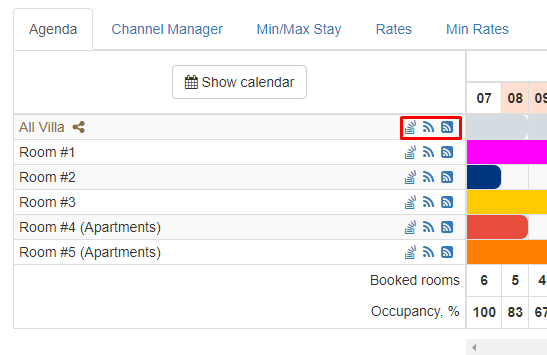
Click on the first icon to open Import iCal setup window. By default all the fields are empty. All fields here are equal it’s make absolutely no sense for the system where to paste the iCal link. We named few of the fields just for your comfort. Same name will be shown as the Agent in your future reservation on the agenda.
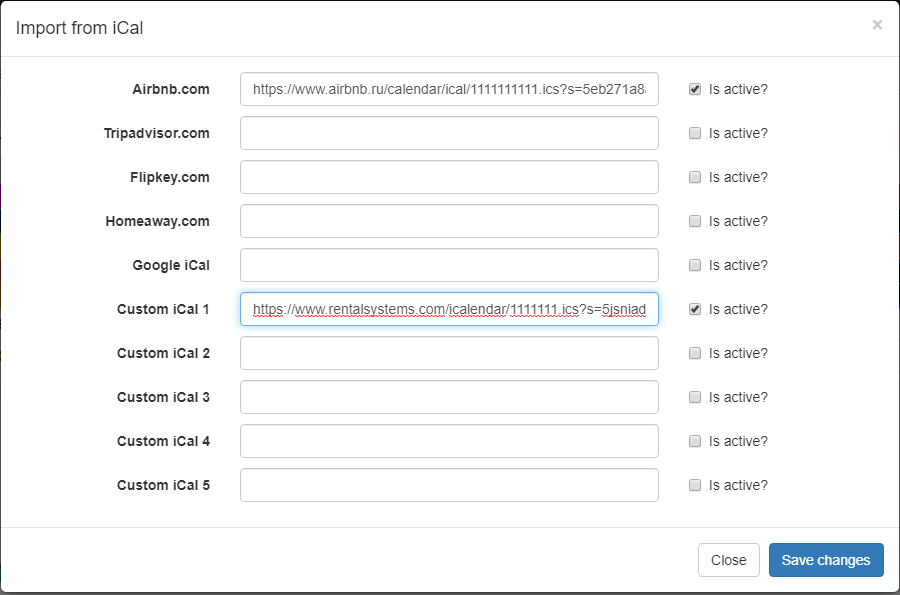
On this screenshot, two iCal already connected: Airbnb and Custom iCal from Rentalsystems
Each iCal based OTA has it’s own instructions, how to sync the inventory via iCal you can easily find it by google it. We create our own instructions for Airbnb as it’s also uncovers how to enable Instant Sync for Airbnb to sync inventory with Airbnb both directions in real time.
When you add all ical links, click Save. Refresh the browser in a minute and you will see all iCal events imported to the Agenda. Please note, that iCal allows to import / export only the reservations.
Export Reservations
Click on the second icon to open Export iCal setup window. On the top the window, in the blue frame, you will see the link which exports the reservations from this particular room and can be used to import this data to any third-party system which supports iCal import. All other information and settings required for Airbnb Instant sync activation only.
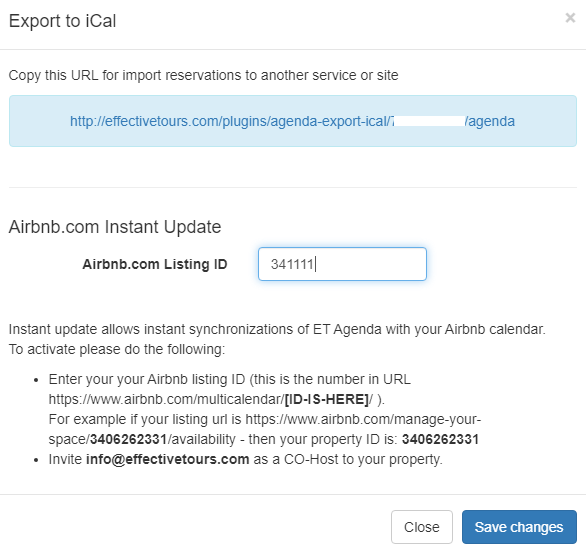
Each OTA has it’s own instructions, how to import reservarions via Ical. You can easily google them using keywords like: “ical import to Homeaway”